GitHub
Already have code? Nova can work on it.
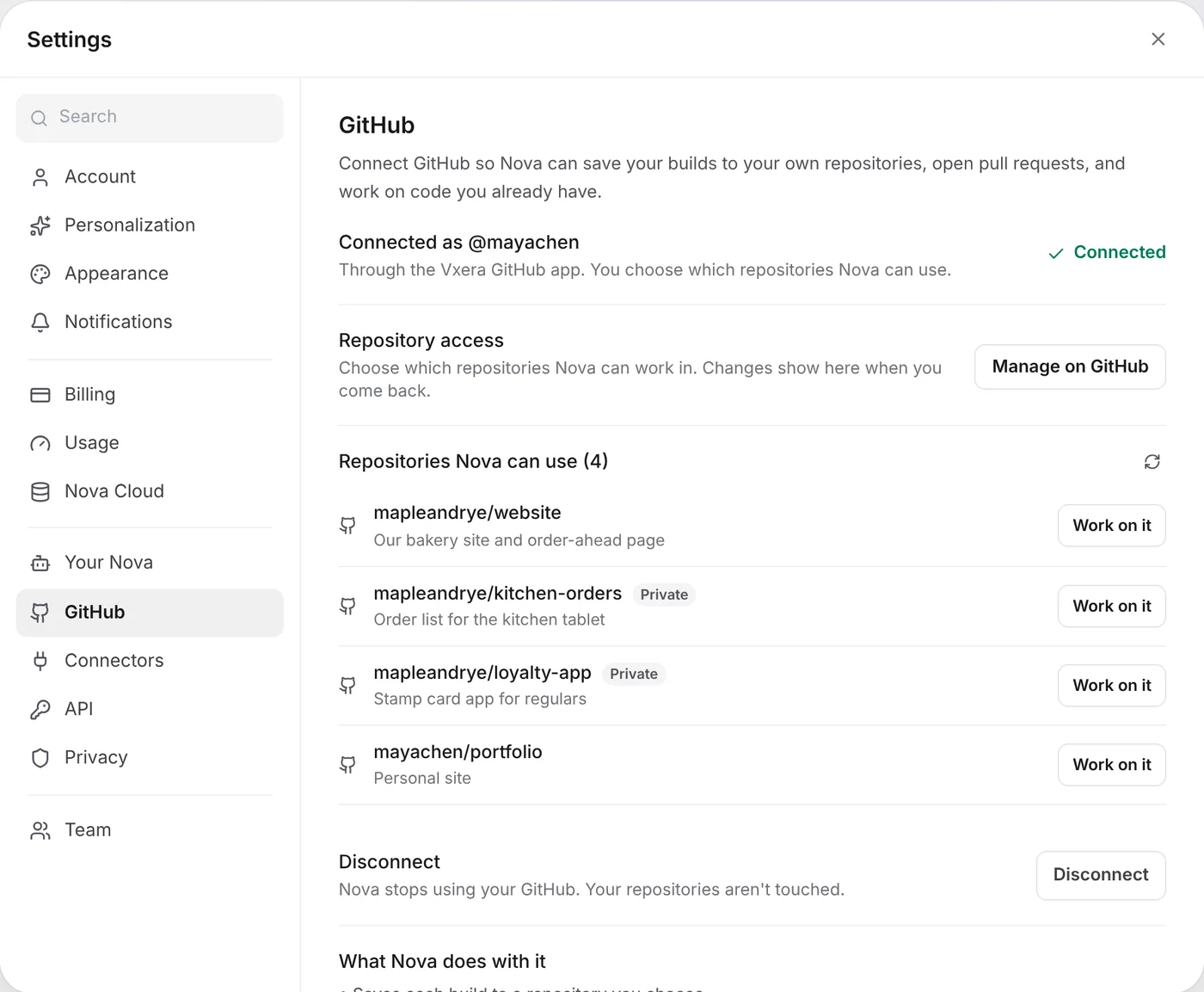
Connect GitHub, pick one of your repositories and ask for what you need. Nova reads the code, makes the change and opens a pull request for you to review, like a teammate would.
vxera.ai/nova · Settings → GitHub
How it works
Four steps, and you stay in charge of what gets merged.
- 1Connect GitHubIn Nova's Settings, connect your GitHub account and choose which repositories Nova may use. You can change the list on GitHub any time.
- 2Pick a repositoryChoose a repo from the GitHub button under the message box, the same way you'd pick one in your editor.
- 3Ask for the changeDescribe what you want in plain words: fix a bug, add a page, tidy up the mobile layout.
- 4Review the pull requestNova makes the change on a new branch and opens a pull request. Nothing reaches your main branch until you merge it.
Good to know
- Only what you allow
- Nova sees only the repositories you pick on GitHub, public or private.
- Your branch stays safe
- Every change arrives as a pull request on its own branch.
- Push what Nova built
- Apps you build in Nova can be sent to a new repository of your own in one click.
- Disconnect any time
- Remove access in Settings or on GitHub, and Nova can't reach your code anymore.
Point Nova at your repo.
Connect GitHub in Settings and ask for your first change.